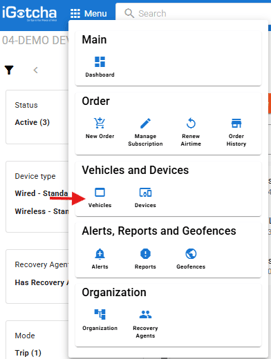
Once your logged in go to "Vehicles"
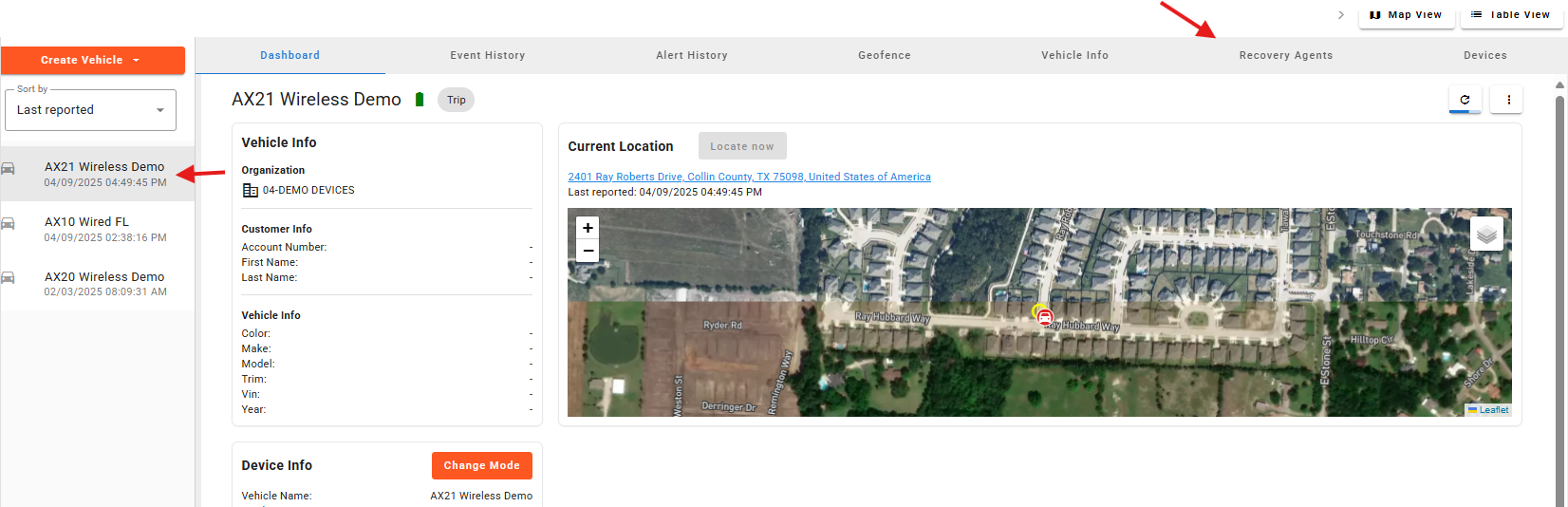
Select the vehicle out for repo in the device well on the left-hand side and select the "recovery agent" tab at the top.
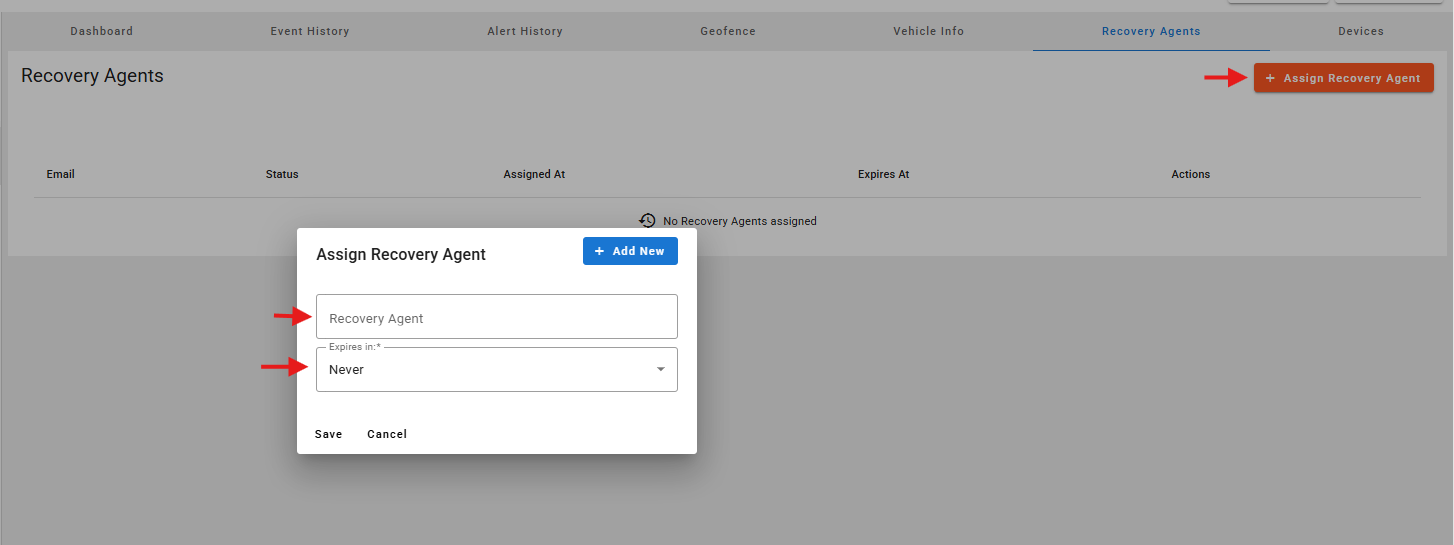
Select "Add recovery agent" and enter the name or email of a recovery agent you have already added to the account. You can also select how long you would like them to hold the device for.
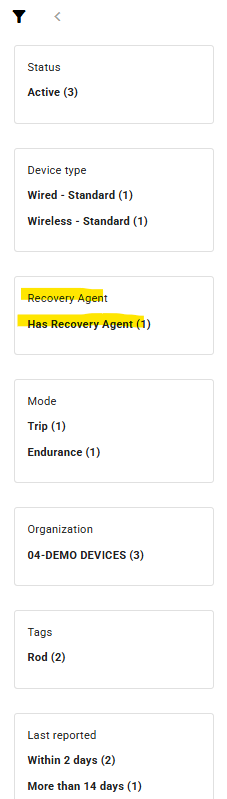
Once assigned you will see all vehicles with a recovery agent assigned in the filters on the left and side for easy filtering to see them.