
Adding new user
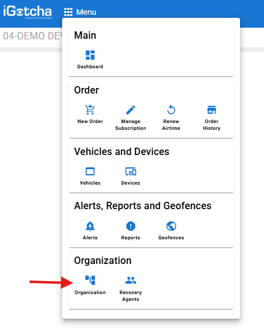
Using the menu button on the top left select "Organization"
Once in Organizations select the eye icon on "Users" or on the tabs at the top.
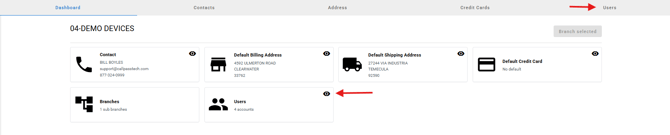
Select "Add new user"

Complete the name, role, and email to be created.
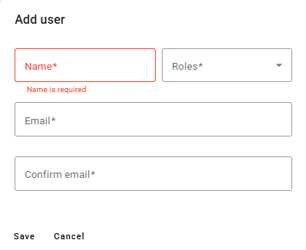
New users' login will be their email address as the username and a password setup will be set to their email to login with.
Please note: An email has to have never been used in the system before to be created as a user.
Adding recovery agent
Using the menu button on the top left select "Recovery Agent"
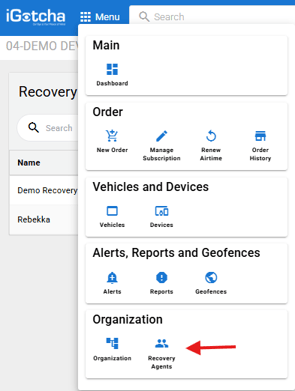
Once in Recovery Agents select the add new recovery agent.

Complete the information for the user.
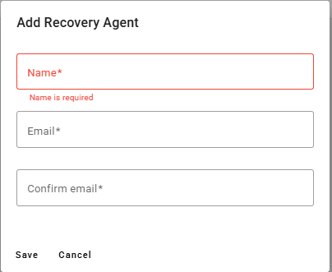
If they are already a repo user they will be alerted when you assign devices to them, if they are a new repo user they will receive an email to setup their password.
Please note: A recovery agent cannot be a standard user. You can however have a recovery agent in multiple accounts.