
Not validating installation
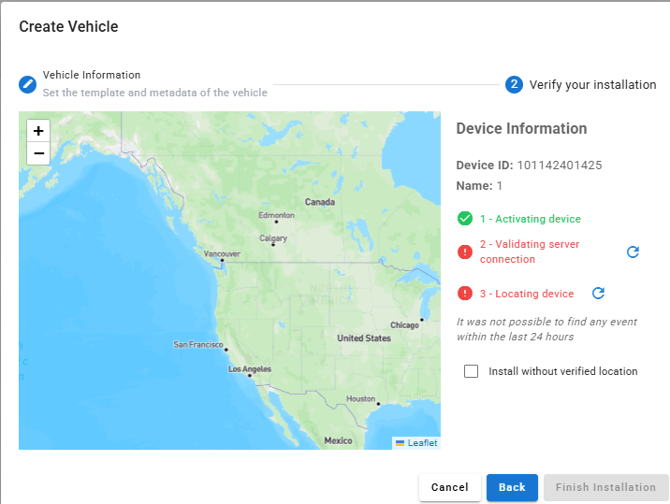
Confirm the device has been connected to a constant power source and the lights should be blinking on the device.
Confirm that the device does not need to be renewed for airtime.

If there is not light - confirm on the application there is a "last activity date" and a "first power up" date.

If device is still not validating, please contact support.
Not locating
If the device is still at your location move outside to a better signal area and attempt again.
Confirm the installation area does not impact the device signal.
Confirm there is no power ups and low battery alerts that could mean a power issue on the device.
If device is still not updating, please contact support.
Need to Reset
If you have the device with you at your location, you can unplug the device and plug it back in.
If the device has already left and we need to complete an over the air reset, you will need to contact support.
If an over the air reset is needed please contact support via email or call at (877) 648-5777