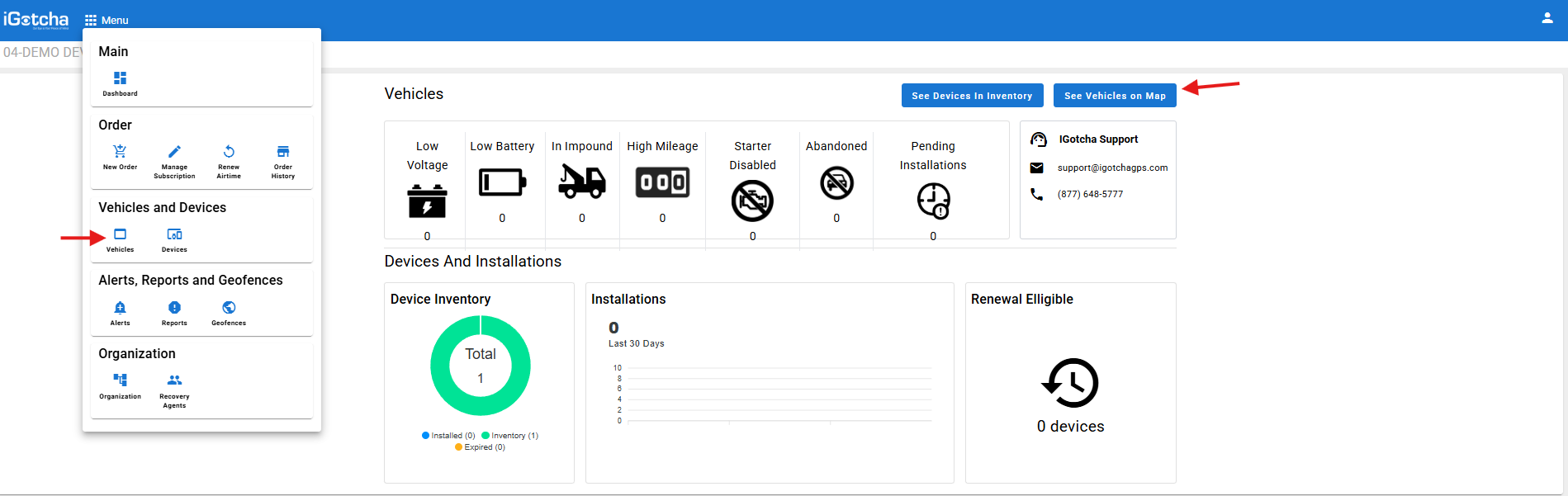
Select your vehicles under menu or on the main dashboard.
Please note: There is 2 steps for this process. If you are going to re-use the device or if the device is no longer in use and will not be used again. Please see "unlinking device" for if the device will be used again.
Select the vehicle name / customer you need to remove from the application. If you are removing DEVICE and VEHICLE select the 3 dots on the right-hand side and "Retire Vehicle"
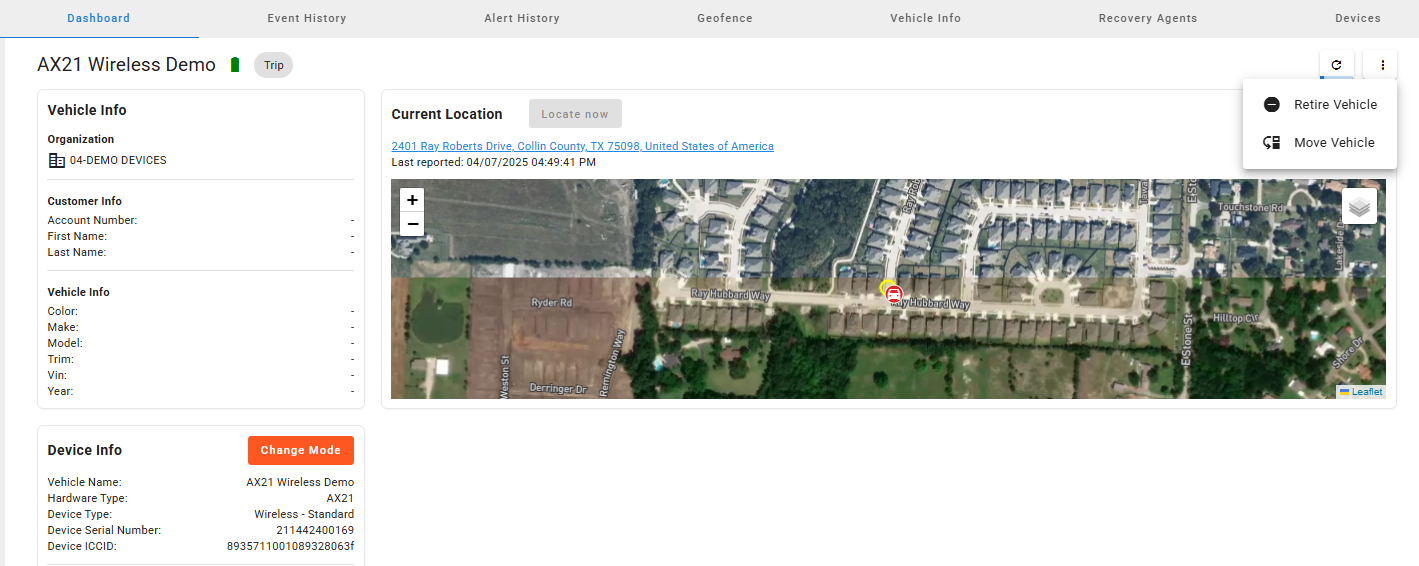
Once you type in the vehicle name again this will remove both DEVICE and VEHICLE from the application.
Please note: Once removed there is a possibility after 30 days that the device will not be able to be added again if removed in error.
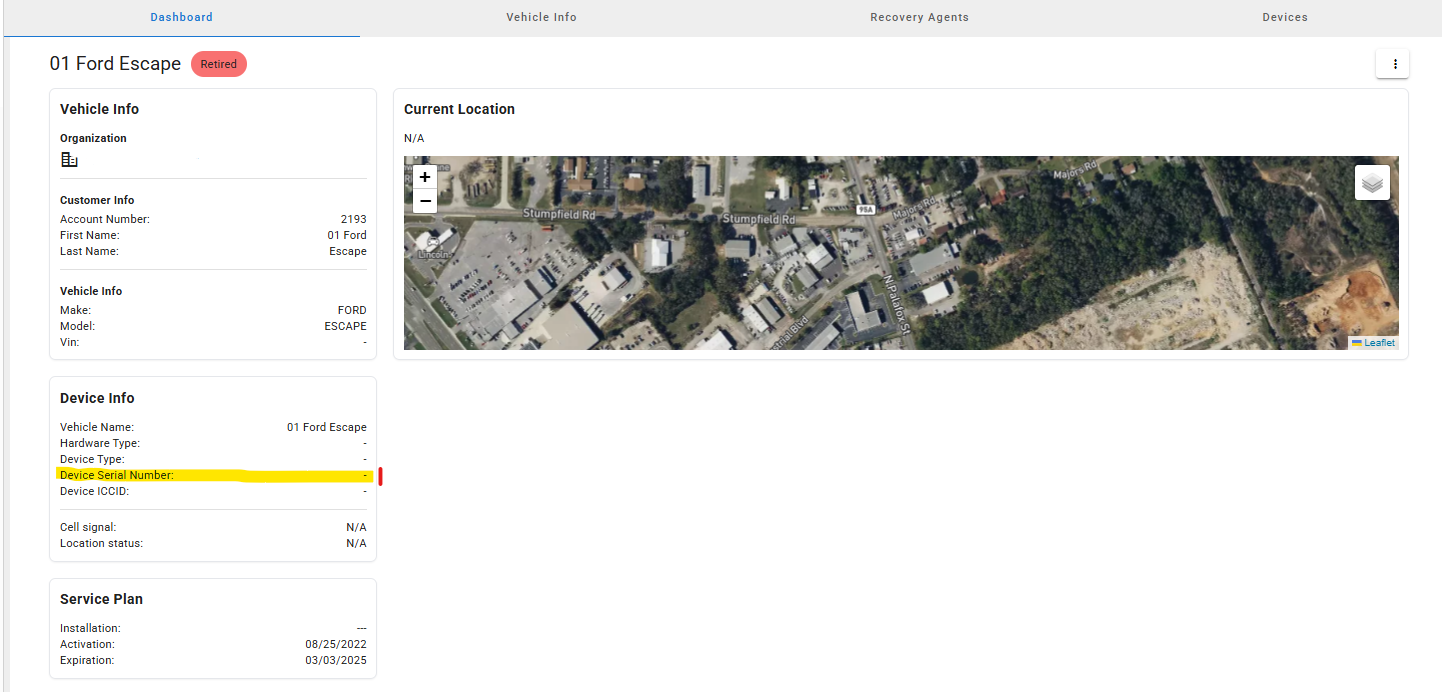
If you are ONLY removing the vehicle and not the device: Select the vehicle name / customer, you need to remove from the application confirm that the serial number is no longer connected to the vehicle (1). Select the 3 dots on the right-hand side and "Retire Vehicle"