
Under Menu select "Organization.
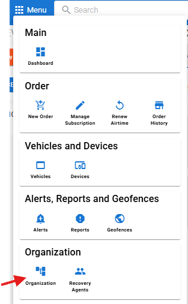
Once in organization use the tabs on the top and select "Credit Card"

You can add a new card using "+ Add Credit Card"

You can make the new card added the default card on file (1) or remove old cards that are no longer active (2).

If you have any issues, you can also contact customer support by dialing (877) 648-5777 Option 2 to have the new card added.