
Before a Consumer Sale
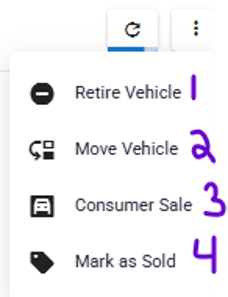
- Retire Vehicle: Removes the vehicle from the dealer’s view and
- Move Vehicle: Transfers a device between organizations when a
- Consumer Sale: Assigns the vehicle to a customer who has
- Mark as Sold: Use when a vehicle is sold to a finance company and
disables the SIM associated with the device.
company has multiple organizations.
purchased access to the device.
does not need to be transferred to that company’s account. The
vehicle is removed from the dealer’s view, but the SIM remains active.
After a Consumer Sale
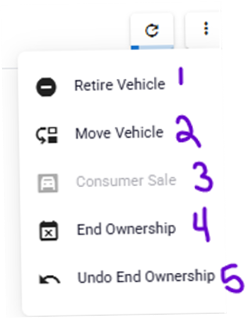
- Retire Vehicle: Removes the vehicle from the dealer’s view and
- Move Vehicle: Transfers a device between organizations when a
- Consumer Sale: Unavailable because the vehicle is already
- End Ownership: Transfers ownership after a customer has paid off
- Undo End Ownership: Internal use only. Reverses an End Ownership action that was selected in error.
disables the SIM associated with the device.
company has multiple organizations.
assigned to a consumer.
the loan without disabling the SIM.